English | 简体中文
Manage, review, and migrate cloud AI agents with Git and YAML.
The open-source IaC control plane for managed AI agents.



Important
OpenAgentPack is in beta. Public APIs and the agents.yaml schema may change before 1.0. See the changelog.

agents.yaml → validate → plan → apply: bring agents back into Git, review the pending changes, then update remote resources.
One agents.yaml defines an agent's environment, model, instructions, tools, skills, MCP servers, vaults, and credentials. Review every change in a PR, preview it with plan, and apply it when ready — instead of rebuilding the same agent through console clicks.
- Reviewable agent assets — keep prompts, tools, skills, and configuration in Git; reuse, roll back, and hand them off.
- Predictable changes —
validate → plan → applypreviews creates, updates, and deletes before changing remote resources. - Portable core declaration — target Bailian, Qoder, Claude, or Volcengine Ark with an explicit provider capability contract.
npm install -g @openagentpack/cli
agents init
# Configure one provider's credentials, then:
agents validate && agents plan
Run the 5-minute quick start · View provider support · Browse runnable examples · Roadmap
▶ Watch the Playground demo: switch provider and run the same agent scenario
Agents are moving from personal tools to enterprise digital workers. But the things that make an agent valuable — its prompts, skills, knowledge files, tools, and runtime configuration — still live mainly inside cloud-provider consoles.
These are business assets. They should be managed, reviewed, handed over, reproduced, and migrated like code, data, and documents — not trapped as a pile of clicks in one console.
OpenAgentPack puts a declarative control plane between the agent and the cloud platform. The enterprise owns the declaration; provider adapters render it into real managed agents on Bailian, Qoder, Claude, or Volcengine Ark.
The goal is to make an agent an enterprise-controlled, portable, and inheritable digital asset.
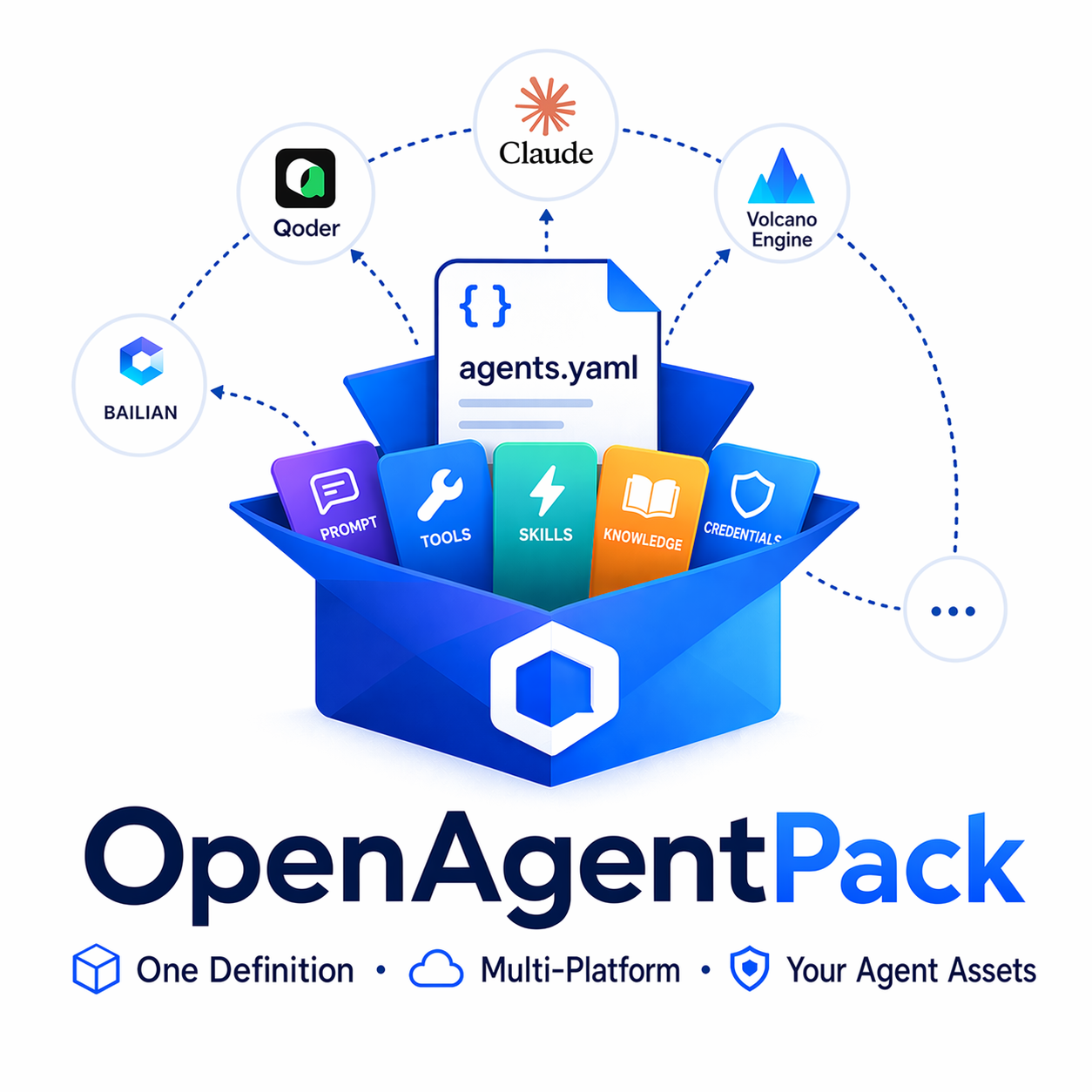
Borrowing Docker's declarative idea, OpenAgentPack brings everything that determines what an agent is — model, instructions, tools, skills, environment, files, and credential references — into one agents.yaml blueprint. The blueprint can live in Git, pass through pull-request review, reproduce an agent, and move across providers.
Borrowing Terraform's state-driven workflow, OpenAgentPack keeps desired config, local state, and remote state distinct. plan previews creates, updates, and deletes; apply executes them in dependency order; drift detection finds console-side changes; and a previous declaration can restore a known-good configuration.
Even a precise blueprint needs to be experienced. Playground runs real sessions from the same declaration and lets teams exercise the same scenario against different providers. Provider comparison becomes an observable result, not only a capability matrix.
OpenAgentPack uses a Docker-like declaration to draw the agent blueprint, a Terraform-like state model to manage construction and acceptance, and Playground as the showroom — so enterprises can manage agents the way they manage code.
The mechanics are a single agents.yaml, a validate → plan → apply workflow, content-hash diffing, dependency-aware ordering, and drift recovery. The YAML remains the source of truth. See Agents as code for the mental model and CONTEXT.md for the precise vocabulary.
- Declarative — one
agents.yamldescribes your whole agent stack. Commit it, review it in a PR, roll it back. - Terraform-style workflow —
validate → plan → apply. Preview every create / update / delete before it happens. - Multi-provider — reuse the core declaration across Bailian, Qoder, Claude, and Volcengine Ark; the capability contract makes native, emulated, and unsupported differences explicit.
- Incremental — content-hash diffing updates only what actually changed; no redundant API calls.
- Dependency-aware — Environment → Skill → Agent are created in topological order; a failed dependency skips its dependents instead of leaving half-built state.
- Drift recovery — detects when remote config has drifted from your declaration and reconciles it. The YAML is always the single source of truth.
agents project init             # create a managed-agent/ subdirectory
cd managed-agent
agents project validate         # validate JSON, Markdown, skills, and local files
agents project build --dry-run  # preview organization and generated YAML
agents project build            # freeze the current source into a Build (no confirmation)
agents project publish -y       # publish exactly that Build and record a version
agents project workbench        # edit and debug the same directory project
Directory projects keep global settings in project.json, each Agent under agents/<id>/, Agent instructions in instructions.md, and local Skill source either beside its Agent or under the shared skills/ directory. Build promotes a Skill to the shared directory when multiple Agents reference it and deterministically writes .openagentpack/build/agents.yaml. Publish never runs Build implicitly.
Fresh Init includes Skill, File, Vault, and Environment examples under each resource directory's _examples/, with bilingual configuration instructions. They are not linked in agent.json, do not enter generated YAML, and are not published remotely. Copy an example outside _examples/ and configure its Agent reference to enable it.
Init defaults to ./managed-agent. Use agents project init --project . to initialize in place or convert an existing agents.yaml; other project commands still default to the current working directory.
Workbench and CLI share agents project version status|enable|disable|list|preview|restore. Versions are Git-independent full source-tree snapshots: immutable manifests point to content-addressed text and binary blobs, while .openagentpack/state.json is always excluded. Restore writes a historical tree forward into the working directory without moving version history or remote State. Deployment and Channel declarations remain read-only in Workbench but participate in full project Publish.
The original YAML workflow remains available through agents init, validate, plan, apply, and destroy. agents playground -f agents.yaml continues to open a YAML Agent Session Preview, but YAML Apply no longer creates project versions and cannot be used inside a directory-project root.
▶ Watch the full Playground demo
A minimal config:
version: "1"

providers:
  bailian:
    api_key: ${DASHSCOPE_API_KEY}
    workspace_id: ${BAILIAN_WORKSPACE_ID}

defaults:
  provider: bailian

environments:
  dev:
    config:
      type: cloud
      networking:
        type: unrestricted

agents:
  assistant:
    description: "General-purpose coding assistant"
    model: qwen3.7-max
    instructions: |
      You are a coding assistant.
    environment: dev
    tools:
      builtin: [bash, read, glob, grep]
Secrets are referenced with ${VAR_NAME} and loaded from .env — they never live in the config itself. For the full walkthrough, see Getting started.
Install the CLI globally:
# with Bun
bun add -g @openagentpack/cli

# or with npm
npm install -g @openagentpack/cli
This provides the agents command. To run from source instead, see Contributing.
Beta testers can install @openagentpack/cli@beta; see the release guide for version pinning and switching back to stable.
| Feature | Bailian | Qoder | Claude | Volcengine Ark |
|---|---|---|---|---|
| Environment | native | native | native | native |
| Vault | native | native | native | native |
| Skill | native | native | native | native |
| Agent | native | native | native | native |
| MCP Server | native | native | native | native |
| Memory Store | unsupported | native | native | native |
| Multi-Agent | unsupported | unsupported | native | native |
| Deployment | native | native | native | emulated |
| Session | native | native | native | native |
The full capability matrix and per-provider differences live in the Provider reference.
| Doc | What's inside |
|---|---|
| Getting started | Shortest path from install to a running session. |
| Configuration guide | Progressive tutorial from minimal to full config. |
| Configuration reference | Every agents.yaml field, typed and explained. |
| CLI reference | Every agents command, options, and behavior. |
| Provider reference | Capability matrix and per-provider configuration. |
| How it works | State, dependency graph, incremental diffing. |
| Examples | Runnable configs indexed by what you want to do. |
The documentation index organizes the rest by reader goal: concepts, guides, reference, architecture, and contributing.
The examples/ directory has runnable configs for every provider, from a minimal agent to full-feature stacks (skills, MCP, vaults, multi-agent, deployments). Start with examples/bailian/basic/.
Cloud runtime capabilities are available from @openagentpack/sdk. The same npm package includes Node-only subpaths: @openagentpack/sdk/project-workspace provides directory compilation, Build/Publish, and full-tree versions, backed by the storage primitives in @openagentpack/sdk/project-versions:
import { previewProjectBuild, commitProjectBuild } from "@openagentpack/sdk/project-workspace";

const preview = await previewProjectBuild("./my-agent");
const build = await commitProjectBuild({
  projectRoot: preview.project_root,
  baseRevision: preview.project_revision,
});
console.log(build.manifest);
See the SDK reference for the public API surface.
apps/webui is a Vite directory-project Workbench; apps/server exposes directory editing, Build/Publish, versions, and Session debugging over an OpenAPI surface. Run both from the repo root with AGENTS_PROJECT_ROOT pointing at a project:
bun install
bun run dev        # server + webui together
Launch the packaged project console with agents project workbench --project <directory>. Use agents playground -f <path/to/agents.yaml> only for the legacy YAML Session Preview. Workbench edits directory source, requires an explicit Build, and publishes the reviewed Build; it never edits Provider ownership or pushes Git state.
Contributions are welcome. Please read CONTRIBUTING.md for the dev setup, merge requirements, and how to add a new provider. All participants are expected to follow our Code of Conduct.
Use GitHub Discussions for questions and design proposals, and GitHub Issues for reproducible bugs and accepted work. Current priorities are tracked in the public roadmap.
Found a vulnerability? Please follow the process in SECURITY.md — do not open a public issue.
Licensed under the Apache License, Version 2.0.