Repository navigation
Turtlebot unintentionally moving by itself in Gazebo #77
Description

When I start a simulation of the Turtlebot in Gazebo, it is slowly moving by itself (linear and angular). If I check the 'odom' messages published by Gazebo, there is always a small twist (linear x und angular z). After some minutes you can clearly see the changed pose in the Gazebo GUI. This is also happening to some other simple objects spawned in Gazebo (like cylinders). I already testet other friction values in the robot and world URDFs, but without success.
To reproduce the issue, you can simply run the turtlebot_world.launch from turtlebot_gazebo package and take a look at the 'odom' messages:
roslaunch turtlebot_gazebo turtlebot_world.launch &
rostopic echo /odom
After 200 seconds I see that it has a slight rotation (a few degrees) , but is pretty much in the same position. If you look at the contact points on the ground you'll see that there's a continuous oscillation between the wheels that can cause small numerical integration errors to accumulate.
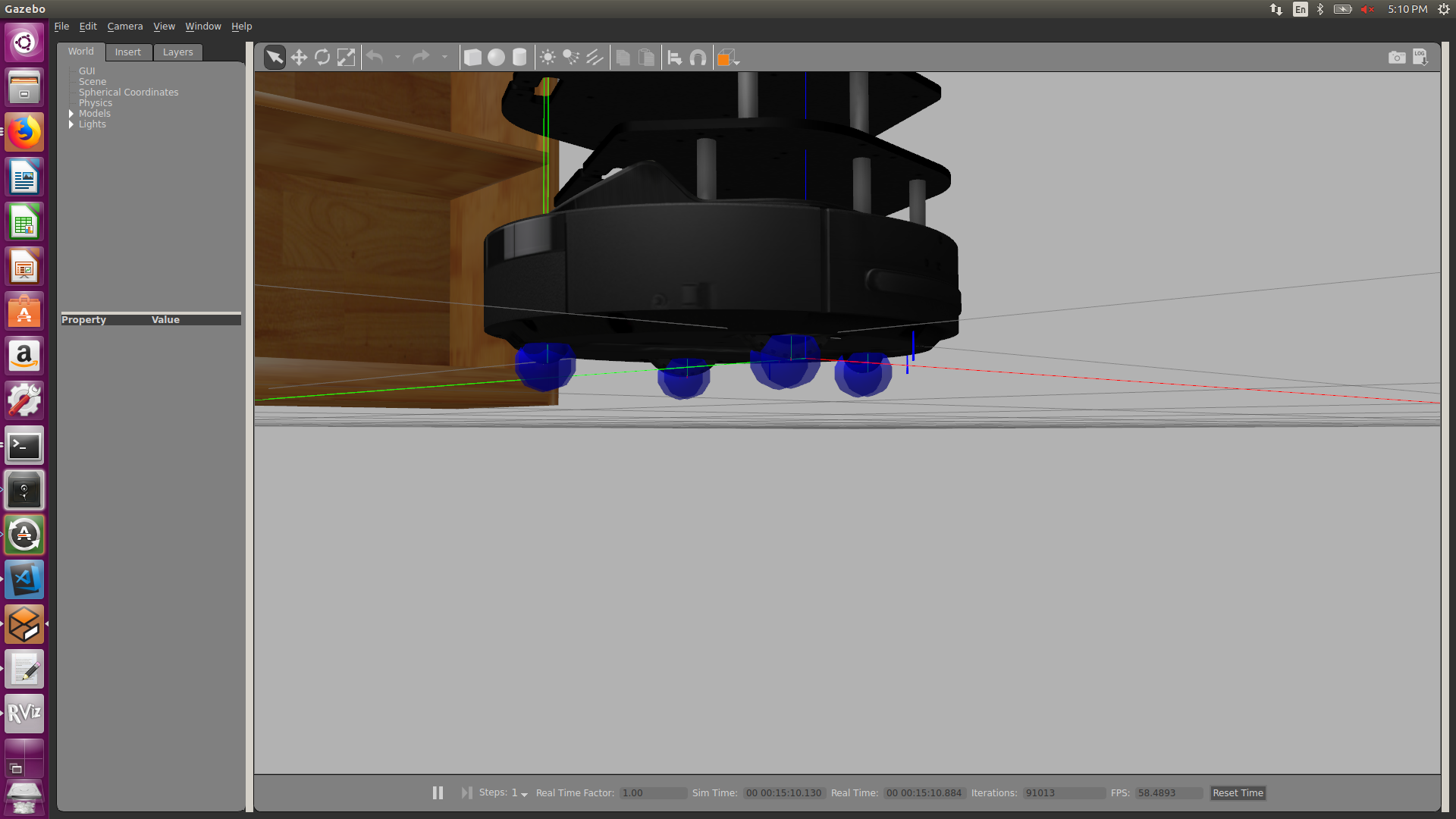
Example odom:
header:
  seq: 20117
  stamp:
    secs: 201
    nsecs: 190000000
  frame_id: "odom"
child_frame_id: "base_footprint"
pose:
  pose:
    position:
      x: 1.59948835343e-07
      y: 6.79624858795e-07
      z: 0.0
    orientation:
      x: 0.0
      y: 0.0
      z: -0.0384809462098
      w: 0.999259334096
  covariance: [0.1, 0.0, 0.0, 0.0, 0.0, 0.0, 0.0, 0.1, 0.0, 0.0, 0.0, 0.0, 0.0, 0.0, 1000000.0, 0.0, 0.0, 0.0, 0.0, 0.0, 0.0, 1000000.0, 0.0, 0.0, 0.0, 0.0, 0.0, 0.0, 1000000.0, 0.0, 0.0, 0.0, 0.0, 0.0, 0.0, 0.05]
twist:
  twist:
    linear:
      x: 6.49424452091e-06
      y: 0.0
      z: 0.0
    angular:
      x: 0.0
      y: 0.0
      z: -0.000414815298426
  covariance: [0.0, 0.0, 0.0, 0.0, 0.0, 0.0, 0.0, 0.0, 0.0, 0.0, 0.0, 0.0, 0.0, 0.0, 0.0, 0.0, 0.0, 0.0, 0.0, 0.0, 0.0, 0.0, 0.0, 0.0, 0.0, 0.0, 0.0, 0.0, 0.0, 0.0, 0.0, 0.0, 0.0, 0.0, 0.0, 0.0]
---
System: Ubuntu 16.04 (kernel 4.15), ROS Kinetic (all involved packages on latest version, Gazebo 7).
Activity
corot commentedon Jul 25, 2019
Yet another case of Gazebo fanciness... I was playing with this recently. I didn't manage to find a configuration working realistically, but two changes seem to help and remove the drift:
Please try both changes separately and report the result. If significantly better, I'll PR the changes.
manox commentedon Jul 25, 2019
Thanks for the suggestions, but both don't work for me.
Increasing the solver iterations even makes it worse (for whatever reason, for example with 500 iterations the turtlebot even kind of hops) and removing kp and kd parameters for both motor wheels does not change anything.
Edit: With 10000 solver iterations it gets a bit better, but unfortunately it's not good yet.
corot commentedon Apr 6, 2020
Did you solve the problem? If not, and if you are not using kobuki sources, can u apply this change?
yujinrobot/kobuki@f2d83ce
Probably is not related, but with gazebo who knows
manox commentedon Apr 7, 2020
No, unfortunately the problem is still not solved. Thanks for the advice, but the fix doesn't change the behaviour. As I described above, the problem also exists with other objects in gazebo.
I haven't been working on gazebo much lately, but I'm surprised that other people don't seem to struggle with the problem. I have also tested gazebo 9, I can't remember exactly how the behaviour differed there, but it definitely didn't solve the problem.
corot commentedon Apr 7, 2020
😞 for other objects, u can try to set kinematic to 1:
<kinematic>1</kinematic>I ignore the details, but this stops the trembling of some the objects u set;
See http://sdformat.org/spec?ver=1.7&elem=link#link_kinematic
Maybe u can try the same trick with TB2, but no idea which weird effects this can happen. Please let me know if u try